Welcome to the Trading System! Here you can trade items, property and money directly with other players.
Access Requirements
Minimum level: 15
How to start a trade?
Option 1: Via the Radial Menu
-
Open the radial menu.
-
Select “Trade”.
-
If there are no players nearby, you’ll see:
"There is no one around to trade with"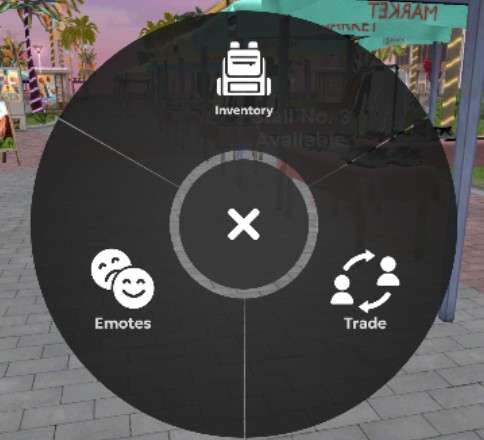
Option 2: Via Inventory-
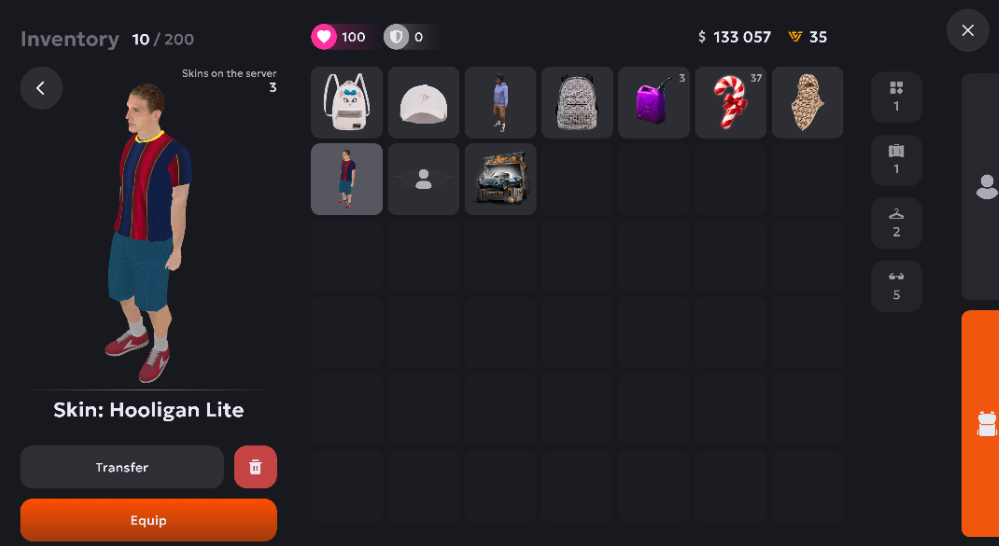
Open Inventory.
-
Tap an item → select “Transfer”.
-
In the pop-up window, choose a nearby player from the list.
-
Tap “Start trade”.
Option 3: By Interacting with a Player-
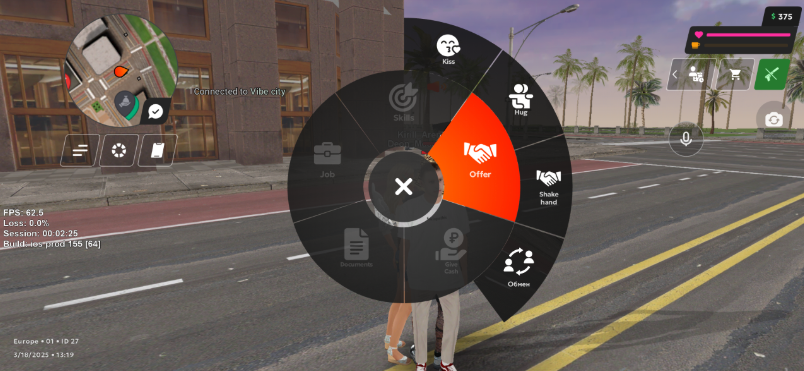
Press and hold on a player.
-
In the radial menu, select “Offer” and then “Trade”.
Trading Fees
Base fee:
-
0.1% of the total deal value for each participant.
-
Calculated from the value of all items and property from both sides.
Additional currency fee:
-
0.3% of the amount of Cash being transferred.
-
Charged in addition if the trade includes money ($).
Example:
-
Player 1 offers: House ($100,000,000)
-
Player 2 offers: Apartment ($30,000,000) + $50,000,000 Cash
-
Total deal value: 100 + 30 + 50 = $180,000,000
-
Base fee for each: $180,000,000 × 0.1% = $180,000
-
Additional currency fee: $50,000,000 × 0.3% = $150,000
-
Total for Player 2: $180,000 + $150,000 = $330,000
Trading Rules
You can trade:
-
Houses, apartments, garages
-
Businesses
-
Vehicles (except temporary ones)
-
Items: skins, accessories, weapons, food, fuel, Med Kits, Repair Kits, license plates
-
In-game Cash
You can’t trade:
-
Temporary items (including the Alt 80 training vehicle)
-
Cases
-
Vibe Coins
-
Work Tickets
-
Equipped accessories and skins
Important Limitations
1. Property value rule
-
When trading real estate or a vehicle, the other side’s offer must be worth at least 50% of the government-assessed value of your property.
-
Example: You offer a house worth $400,000. The other player must offer property/items worth at least $200,000. The system checks this automatically.
2. Item transfer lock
-
New items (received within the last 2 hours) can’t be transferred.
-
If you try, you’ll see a notification showing how much time is left before the item transfer is unblocked.
-
Exception: You can place items into personal storage (your closet or your vehicle’s trunk).
3. Quantity and participation limits
-
Trades are only between two players.
-
One-sided transfers are not allowed (both sides must offer something).
Trade Process – Step by Step Guide
1. Sending a request
-
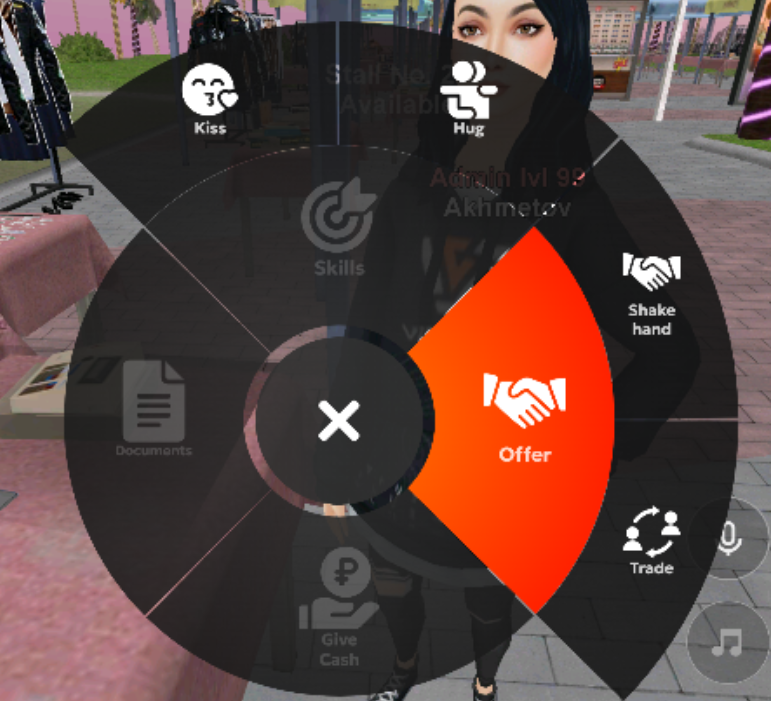
Select a player → send a trade request.
-
They will see:
"{Player} is offering you to trade."-
Buttons: “Start Trade” / “Refuse”
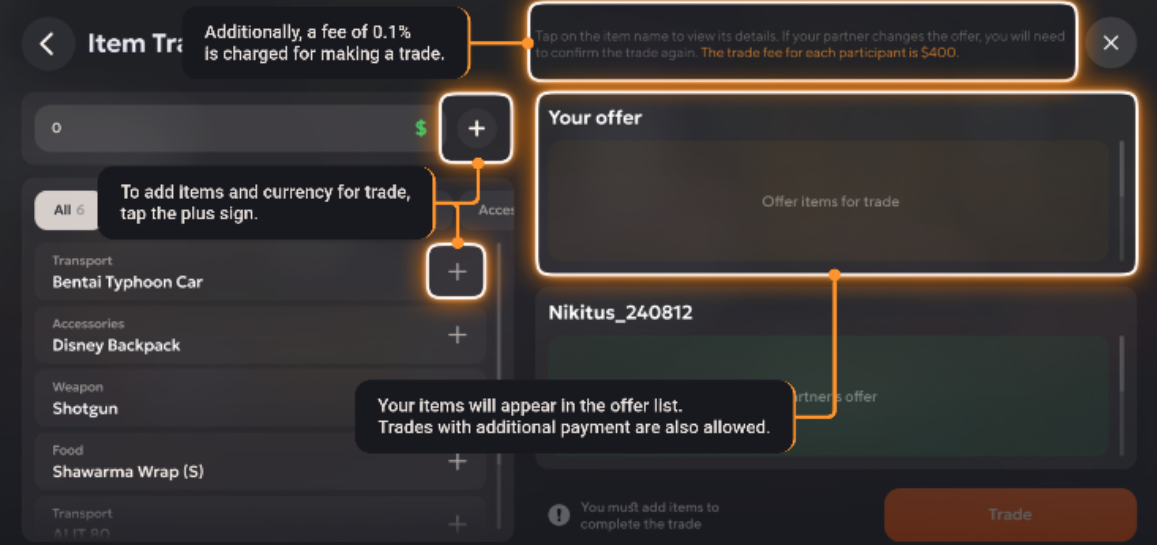
2. Trade interface
Left side of the screen: Your offer
Right side of the screen: Partner’s offerAvailable actions:
-
Add money: Enter the amount → tap “+”
-
Add items/property: Use filters (Vehicles, Business, Houses, Accessories, etc.)
-
View details: Tap an item to see its information
3. Confirming the trade-
Both players add items/Cash.
-
Each player checks “Ready to trade”.
-
The “Trade” button becomes active.
-
Tap it — the trade is completed.
Property Trade Details
Business:
-
Money from the business register is returned to the previous owner’s bank account.
-
The new owner receives the business with an empty register.
Real estate (House/Apartment):
-
All items from storage (Closet, Fridge) are automatically moved to the owner’s Rewards.
-
You will receive an SMS from the Courier Service with a list of returned items.
Vehicle:
- Items from the trunk are moved to the owner’s Rewards.
FAQ
Q: Why can’t I trade a new skin?
A: New items are protected from transfer for 2 hours after being received. Wait, or use the item yourself.
Q: How much does trading cost?
A: Fee = 0.1% of the total deal value + 0.3% of transferred Cash. Plan ahead and keep enough extra funds.
Q: What happens if I get killed during a trade?
A: The trade is automatically canceled. All items remain with their original owners.
Q: Can I trade a house for a hat?
A: Only if the hat (plus any other items you offer) is worth at least 50% of the house’s government-assessed value. The system verifies this automatically.
Q: Where do my closet items go when I trade an apartment?
A: All items are moved to Rewards automatically. You will receive a notification.
Q: What if the other player doesn’t respond to the trade request?
A: The request lasts 30 seconds. If there’s no response, send it again or find another trading partner.
Q: Can I trade Vibe Coins?
A: No. Vibe Coins, cases, and temporary items can’t be traded.
Q: How do I know the trade is safe?
A: The system checks:
-
That the players actually own the offered items
-
That both players have enough funds to pay fees
-
That the value requirements are met
-
Player status (not in combat, not too far away)
Only after all checks does the trade complete.
Helpful Tips
-
Always review property details before confirming a trade.
-
Account for fees — keep extra funds ready.
-
Don’t rush: carefully inspect your partner’s offer.
-
Check Rewards after trading real estate/vehicles.
-
Avoid trading in dangerous areas — you can be killed and the trade will be canceled.
Good luck with your deals! Remember: a safe trade is a fair trade.
-
-
-
-